Try now Demo en
  • en
  • fr
  • de
  • Solutions
    • Use cases
      • Modern IntranetBuild strong internal culture & sense of belonging
      • Collaboration PlatformEfficient teamwork and project collaboration
      • Social NetworkEngage users & recognize contributions
      • Knowledge hubCentralize, organize and share company knowledge
      • Application PortalUnified access to business applications and information
    • Switch to eXo
      • Microsoft 365 AlternativeAn open-source digital workplace alternative to M365
      • Migrate to eXo PlatformA guided, secure migration path from your existing tools to eXo
  • Product
    • Overview
      • Platform overviewExplore core capabilities
      • Why eXoKey differentiators
      • InternationalisationMultilingual environments
      • MobileBranded mobile applications
    • Platform
      • No CodeTailor to your needs without code
      • IntegrationsConnectors & extension capabilities
      • Controlled AIGoverned, extensible AI
    • Technology
      • ArchitectureArchitecture & technology
      • SecuritySecurity measures
      • Open sourceComponents & licensing
  • Offers
    • EnterprisePrivate cloud or on-premise deployments
    • eXo HubsReady-to-use SaaS edition for teams
    • Compare EditionsCompare editions and choose the right fit
    • OEM EditionFor software vendors & service providers
    • ServicesDiscover eXo professional services
  • Resources
    • Resource center
      • Case studies
      • White Papers
      • Datasheets
      • Videos
    • FAQsAbout the software, the community and our offers
      • Platform & Use Cases
      • AI & Responsible AI
      • Deployment, Security & Compliance
      • Open-source, Pricing & Services
    • From The Blog
      • eXo Platform 7.1 is released
      • Digital sovereignty: when public organizations move from words to action
      • Cloud Vs On-premise Digital Workplace: Which one is right for your business?
  • Community
    • CommunityJoin our online community platform
    • DownloadLaunch eXo platform in your infrastructure
    • Source codeSource code on github
    • REST APIs & DocumentationAll REST APIs available in eXo Platform
  • Company
    • About us
    • Customers
    • Partners
    • Contact us
    • Newsroom
  • Menu mobile
    • Enterprise Offers
    • Blog
    • About us
    • Resource center
    • Careers
    • Contact us
    • Try eXo
Use cases
  • Modern Intranet Build strong internal culture & sense of belonging
  • Collaboration Platform Efficient teamwork and project collaboration
  • Social Network Engage users & recognize contributions
  • Knowledge hub Centralize, organize and share company knowledge
  • Application Portal Unified access to business applications and information
Switch to eXo
  • Microsoft 365 Alternative An open-source digital workplace alternative to M365
  • Migrate to eXo Platform A guided, secure migration path from your existing tools to eXo
Overview
  • Platform overview Explore core capabilities
  • Why eXo Key differentiators
  • Internationalisation Multilingual environments
  • Mobile Branded mobile applications
Platform
  • No Code Tailor to your needs without code
  • Integrations Connectors & extension capabilities
  • Controlled AI Governed, extensible AI
Technology
  • Architecture Architecture & technology
  • Security Security measures
  • Open source Components & licensing
Enterprise Private cloud or on-premise deployments
eXo Hubs Ready-to-use SaaS edition for teams
Compare Editions Compare editions and choose the right fit
OEM Edition For software vendors & service providers
Services Discover eXo professional services
Resource center
  • Case studies
  • White Papers
  • Datasheets
  • Videos
FAQs About the software, the community and our offers
  • Platform & Use Cases
  • AI & Responsible AI
  • Deployment, Security & Compliance
  • Open-source, Pricing & Services
From The Blog
  • eXo Platform 7.1 is released
  • Digital sovereignty: when public organizations move from words to action
  • Cloud Vs On-premise Digital Workplace: Which one is right for your business?
Community Join our online community platform
Download Launch eXo platform in your infrastructure
Source code Source code on github
REST APIs & Documentation All REST APIs available in eXo Platform
About us
Customers
Partners
Contact us
Newsroom
Enterprise Offers
Blog
About us
Resource center
Careers
Contact us
Try eXo
  1. Accueil
  2. eXo
  3. Platform 4.4 Sneak Peek: Mobile Friendly Chat

Platform 4.4 Sneak Peek: Mobile Friendly Chat

This post is the last in a series of articles that introduced some noteworthy improvements to eXo Platform 4.4. Watch this blog for more product news in the upcoming weeks.

We’re wrapping up this collection with a bonus feature that will please mobile users: eXo Chat finally got a mobile friendly facelift.

Since the eXo Chat app was first introduced, we have focused on integrating it with our other apps to make it a first class citizen within eXo Platform. Hence, it is more than a simple text messaging app because eXo Chat supports a number of collaborative workflows, such as capturing tasks, document sharing, capturing meeting notes and exporting them to a wiki, …

However, it was not initially designed with mobile usage in mind and that’s why you couldn’t find the chat icon in the top bar on your smartphone. However, as mobile work collaboration continues to spread, text messaging has become a top demand.

So, after adding some planned enhancements, such as the Participants List and Desktop Notifications, we took a look at the structure of the app and started a subtle redesign that would not break anything, but make it usable on a smartphone.


First, you will be able to access the familiar chat icon from the top bar to open the chat app.

eXo chat app

It opens in full screen, replacing the top bar with its own bar and displaying a list of your favorites and other rooms.
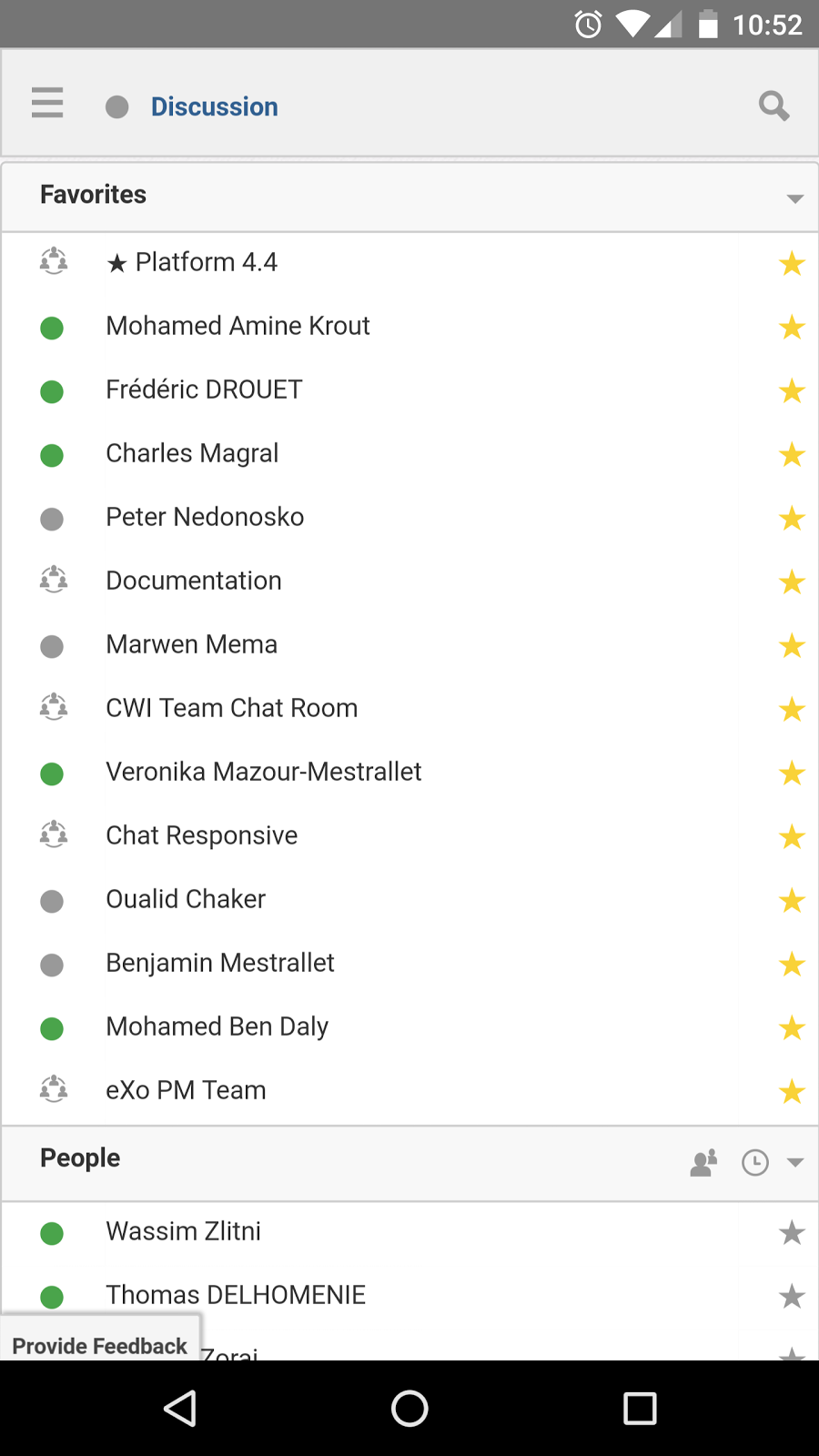
eXo chat room

From the top bar, the hamburger icon folds a side panel that lets you go back to the intranet homepage or set your preferences.
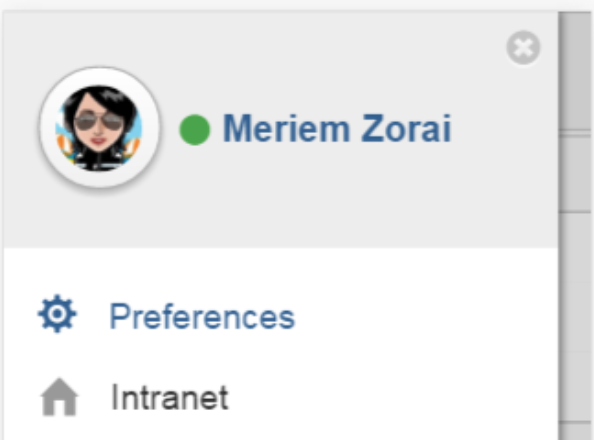
Set your preferences in eXo chat

You can also set your presence status from the chat header:

set presence status from the chat header

When tapped, the magnifying glass icon reveals a search field that works exactly like on a desktop. Enter anything prefixed with ‘@’ to filter the list of rooms:
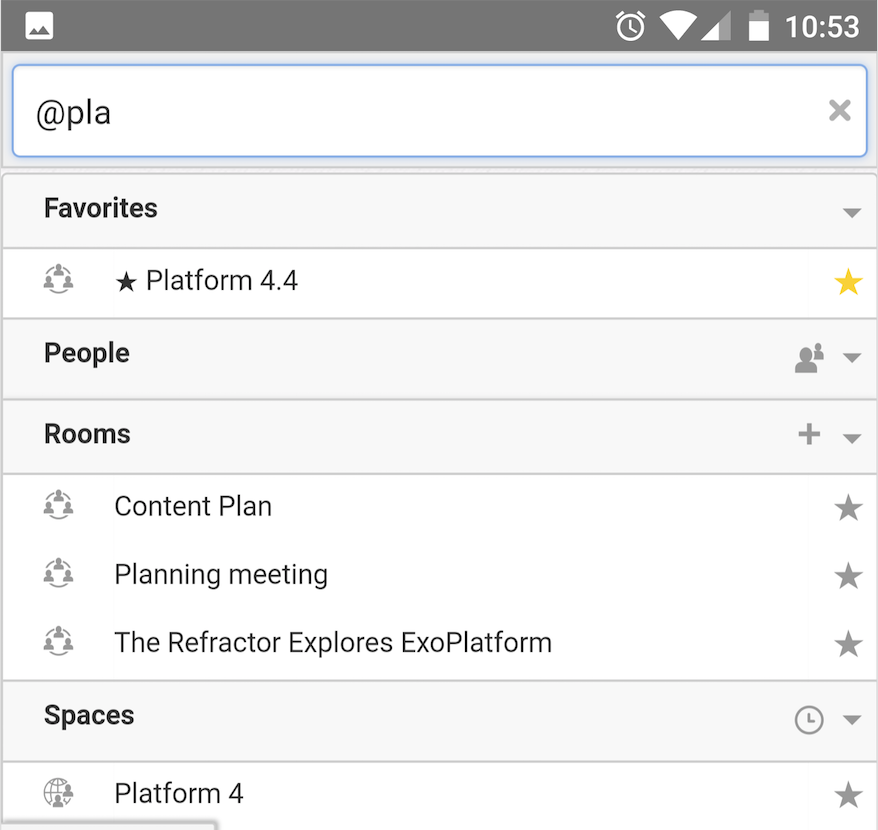
Mobile chat rooms list

To view a room conversation, simply tap on the room name, and swipe up and down to read back through the conversation. The message input box remains at the bottom as you scroll or open the keyboard, which lets you easily reply to, edit, or quote past messages.
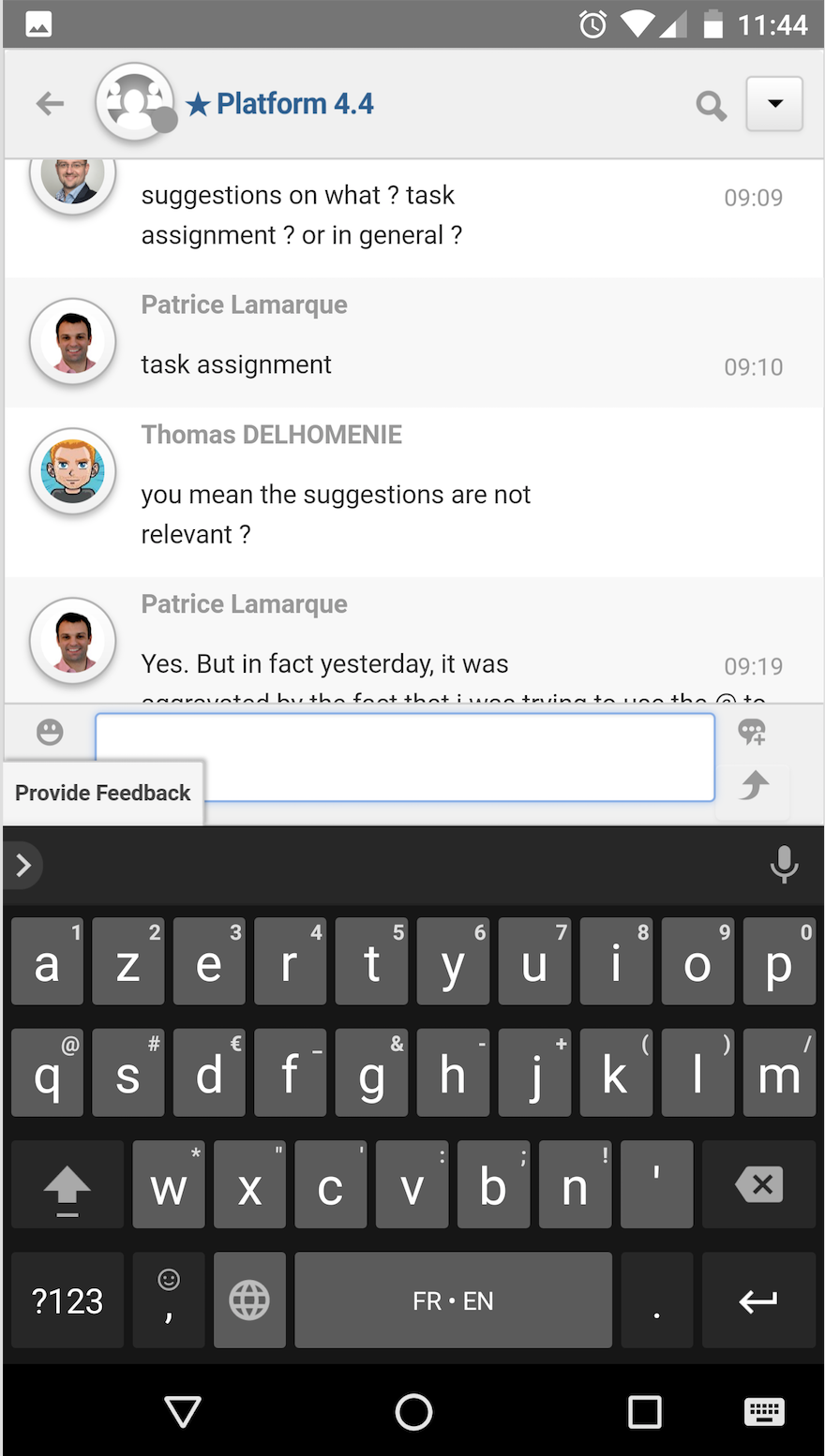
message input box in mobile chat conversation

Inside rooms, the hamburger icon is replaced by a back arrow, which is used to list all rooms:
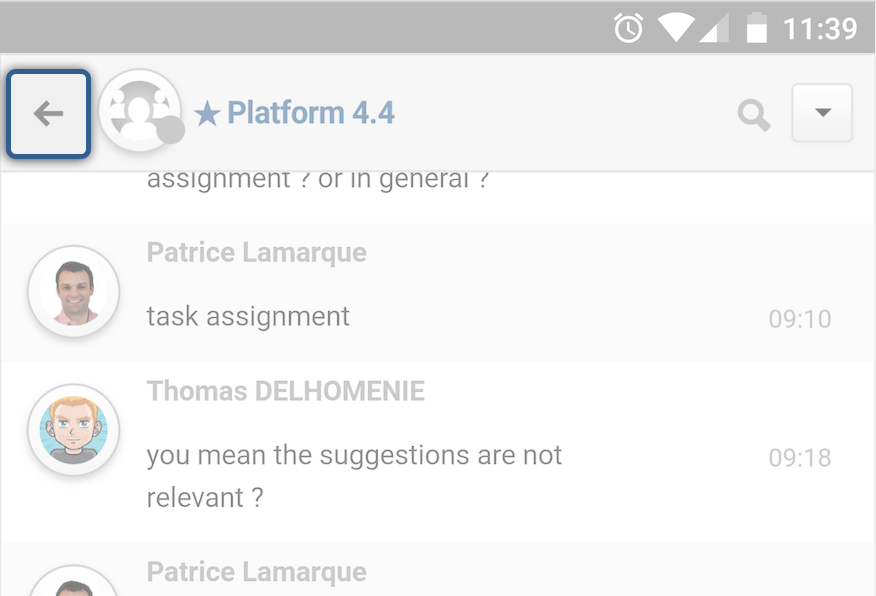
eXo chat mobile experience

The pulldown room menu gives you access to actions such as notifications and listing participants:

eXo chat mobile experience

Tell us what you think


This is the first step in bringing eXo Mobile friendly Chat to your smartphones, but we have many more ideas to optimize the mobile chat experience, which we’ll introduce in a future redesign.


As usual, these improvements can be previewed immediately on the Tribe and in the latest milestone of the eXo Platform 4.4 Community Edition. Let us know what you think. We’d love to hear your feedback.


Join The eXo Tribe

Join The eXo Tribe


Register for our Community to Get updates, tutorials, support, and access to the Platform and add-on downloads. Sign in Now!

Brahim Jaouane

I am a Digital Marketing specialist specialized in SEO at eXo Platform. Passionate about new technologies and Digital Marketing. With 10 years' experience, I support companies in their digital communication strategies and implement the tools necessary for their success. My approach combines the use of different traffic acquisition levers and an optimization of the user experience to convert visitors into customers. After various digital experiences in communication agencies as well as in B2B company, I have a wide range of skills and I am able to manage the digital marketing strategy of small and medium-sized companies.

Full-featured digital workplace with everything your employees need to work efficiently, smartly integrated for a compelling employee experience

  • Product
    • Software tour
    • Internationalisation
    • Mobile
    • No Code
    • Architecture
    • Integrations
    • Security
    • Open Source
  • Uses cases
    • Employee Portal
    • Knowledge management
    • Entreprise Social Network
    • Employee Engagement
    • Community Management
    • Extranet
  • Guides
    • What is a digital workplace?
    • Intranet guide
    • What is an extranet?
    • Employee engagement
    • Collaboration guide
    • Teamwork guide
    • Internal Communication guide
  • Enterprise
    • Product offer
    • Services Offer
    • Customers
    • About us
  • Resources
    • FAQs
    • Resource Center
    • Intranet Portal
    • What Is a Collaboration Software?
    • Talent Management
    • Employee Connection
    • Employee Intranet
    • Improve internal communication
    • eXo Tribe
  • Terms and Conditions
  • Legal
  • Privacy Policy
  • Accessibility
  • Contact us
  • Sitemap
  • Facebook
  • Twitter
  • LinkedIn
wpDiscuz